Your very first flow to add to n8n - BACKUP!
BACKUP should be the first flow you add to your n8n instance! Doesn't matter if you just playing with n8n to discover its capabilities or you starting a serious automation system. Let's be honest, how many people forget to do this until it is too late 😃
Better be safe than sorry!
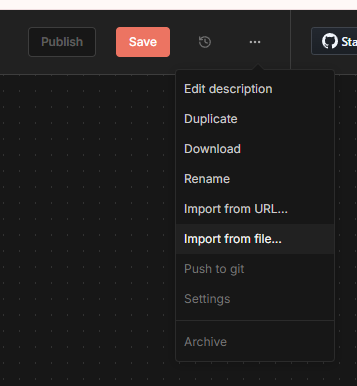
Save this code as BACKUP.json file on your device. Then create new workflow in your n8n instance. Now select import from file option from the tripple dot menu at the tom right.
Next step is to modify your backups location. Workflow will try to save backups to /backups on your server. If you are running n8n from docker container then make sure the location you're sawing to is permanent storage. In case of docker you need to create a docker volume n8n-backups and link it to /backups location inside a container when you create n8n instance.